
For studios that use Mindbody
Substitute instructors, sorted.
When an instructor can't teach, Subs offers the class to colleagues who can, confirms the cover, and changes the teacher in your Mindbody schedule. Everyone hears about it on their phone.
Already set up at your studio? Sign in at app.subs.fit with the account your studio gave you.

For instructors
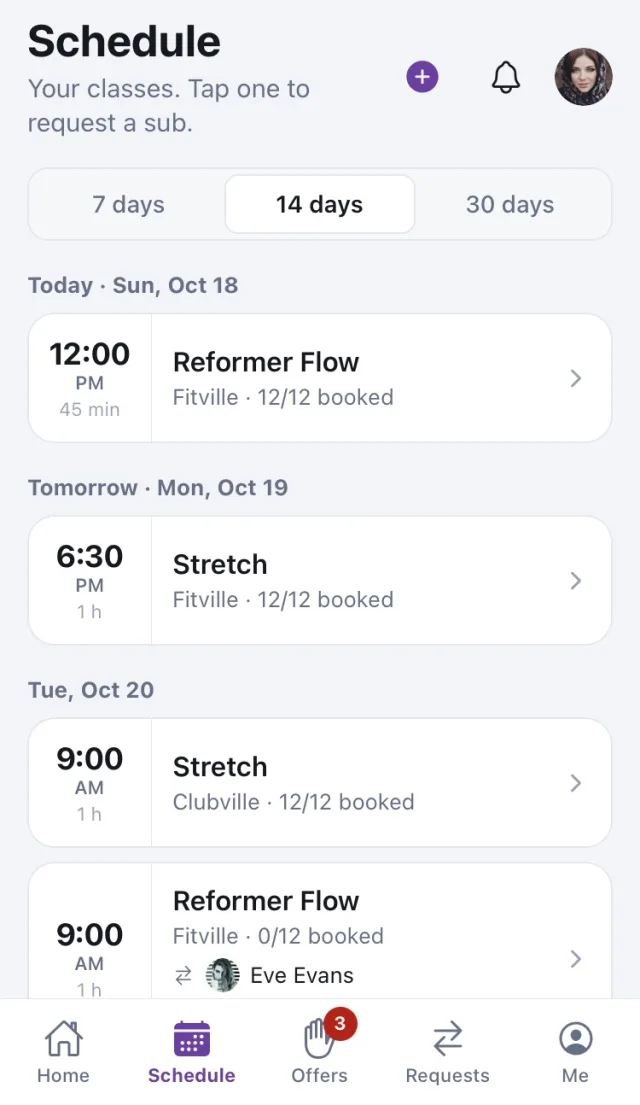
Cover in three steps.
No group chat, no phone tree. The request goes to the people who can actually teach the class.
-
Request in two taps
Pick the class from your schedule, add a reason and a note, and send it.
-
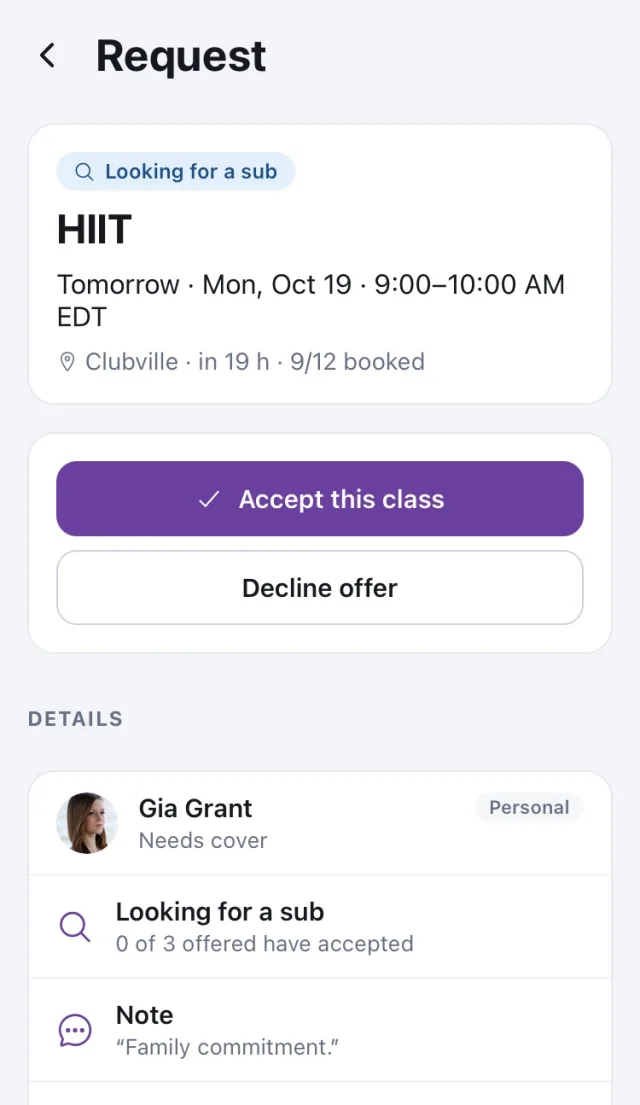
The right people get offers
Colleagues who teach that class type at that location get a notification with the class, the studio and the time. Nobody else is bothered.
-
Accept in one tap
The first to accept gets the class, or a manager confirms it. Set the dates you're unavailable so you aren't offered classes then.
For managers and owners
Every request, across all locations.
See what needs you, decide, and let the app do the chasing.
-
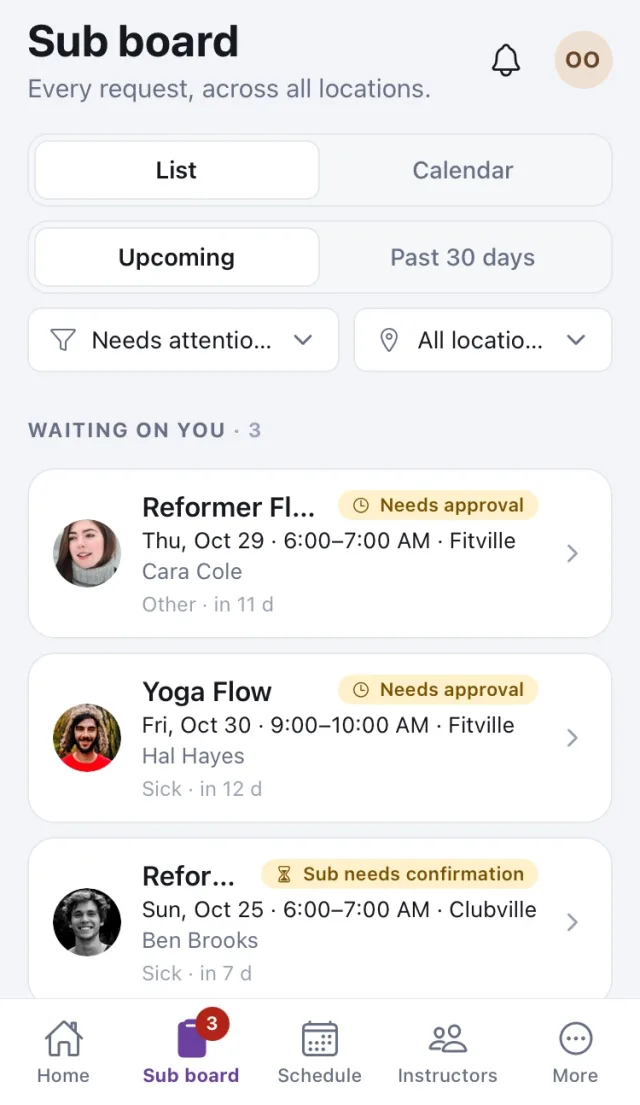
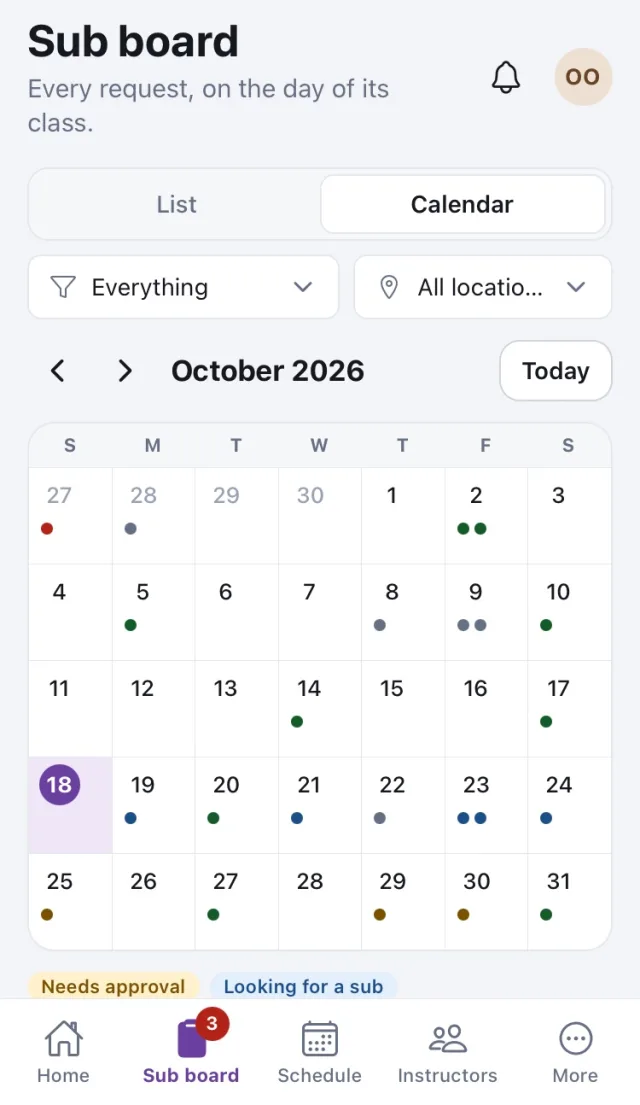
Sub board
Every request as a list or a calendar, filtered to what needs your attention.
-
Approve
If your policy says so, requests wait for your approval before offers go out, and fills wait for your confirmation.
-
Offer or assign
Offer a class to the eligible instructors or to everyone, or assign someone yourself. The change shows up in the schedule.
-
Who can teach what, and where
Skills and locations per instructor, seeded from their teaching history and editable.
-
Reports
Who subs, who asks, and how quickly classes get filled.
Works with Mindbody
Your schedule and roster come from Mindbody.
Nothing to set up twice. Subs reads your studio's Mindbody site and writes the sub back to it.
Reads
Classes, locations and staff come from your Mindbody site, refreshed every few minutes and whenever Mindbody reports a change.
Writes
When a sub is confirmed, Subs changes the class teacher in Mindbody. If Mindbody is busy it retries, and if it still fails, managers are told.
Watches
A class cancelled in Mindbody closes its request. A teacher changed by hand in Mindbody is flagged for managers.
Subs is for studios that use Mindbody for scheduling. It is made by Mindful Solutions and is not affiliated with or endorsed by Mindbody. You sign in with the account your studio gives you, so it only works for studios that have set it up.
Notifications
Nobody has to keep checking.
Offers, answers and confirmations reach people where they are, and reminders go out while a class is still unfilled.
Push
A notification on the phone opens the offer. Accept or decline from there, in one tap.
The same messages by email, for people who would rather not use the app for every reply.
Inbox
Everything also lands in the app's inbox, so a missed notification is never lost. Managers hear when a request needs them.
Bring Subs to your studio.
Your studio gets its own connection to Mindbody, its own people and its own settings. Tell us about your studio and we'll set it up with you.
Subs runs in any browser today. The Android and iPhone apps are in testing; ask us for access.